Mesh Info Display
Displays mesh information for selected objects and their children in the top-left corner of the Scene view.
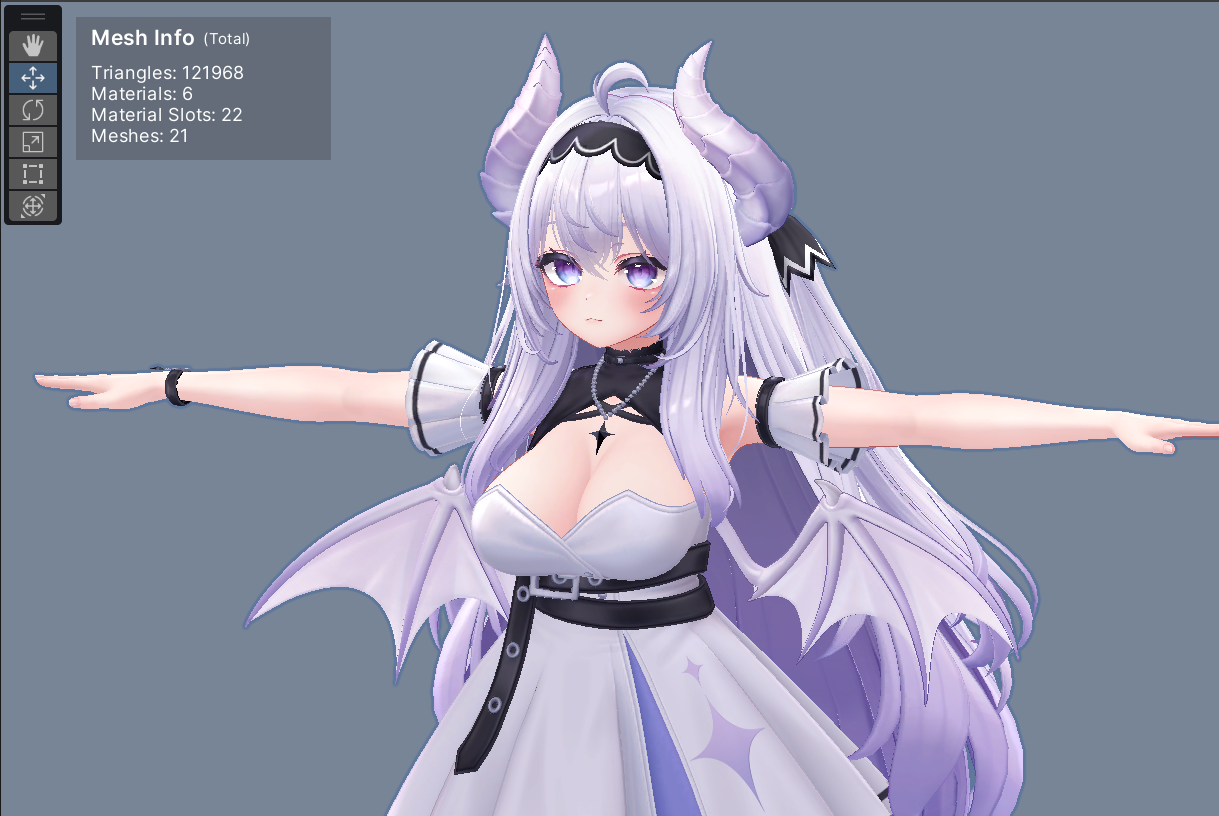
Information shown:
- Polygon count
- Material count
- Material slot count
- Mesh count
- Particle system count and the material slots they consume (only when the selection contains any)
- Material slots consumed by Trail/Line renderers (only when the selection contains any)
Particle Info Section
Particle systems and Trail/Line renderers consume material slots in VRChat's avatar performance rank separately from meshes (one slot per particle system, two when trails are enabled, and one per Trail/Line renderer).
Note that polygons of mesh particles (Render Mode = Mesh) are not included in the polygon/mesh counts above, because VRChat tracks them as a separate stat (Mesh Particle Active Polys) rather than as part of the avatar's Polygons.
When the selection contains any of them, the following lines appear below the mesh counts, separated by a divider:
Particle Systems— number of particle systemsParticle Slots— material slots consumed by particle systemsTrail/Line Slots— material slots consumed by Trail/Line renderers
The actual Material Slots value used by the performance rank is the sum of Material Slots and these additional slots.
NDMF Preview Support
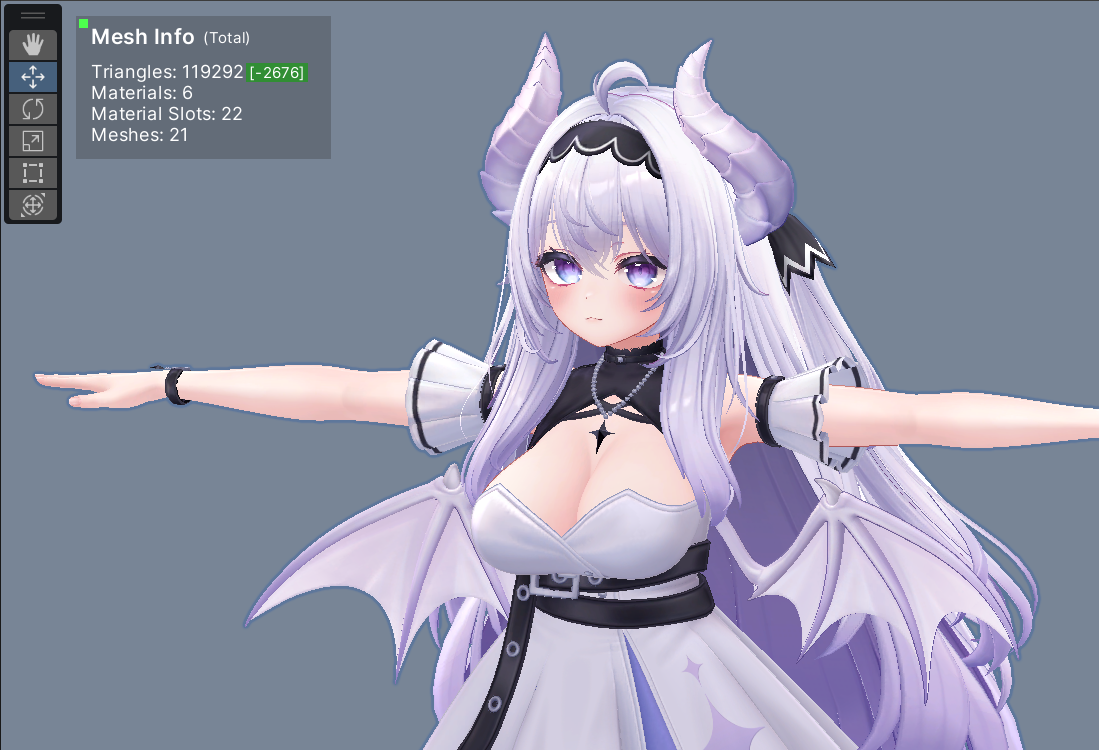
When NDMF preview is active, you can check optimization results from AAO, TTT, Meshia, and adjust accordingly.
- Displays original and optimized mesh counts side-by-side with diff indicators
- Automatically detects NDMF proxy meshes and shows a green dot to indicate preview state
Access
The display can be toggled on and off.
- Entire display:
Tools > Kanameliser Editor Plus > [Settings] > Show Mesh Info Display - Particle info section:
Tools > Kanameliser Editor Plus > [Settings] > Show Particle Info Display