AO Bounds Setter
Batch configure Anchor Override, Root Bone, and Bounds for multiple meshes. Useful for outfit creation and avatar setup.
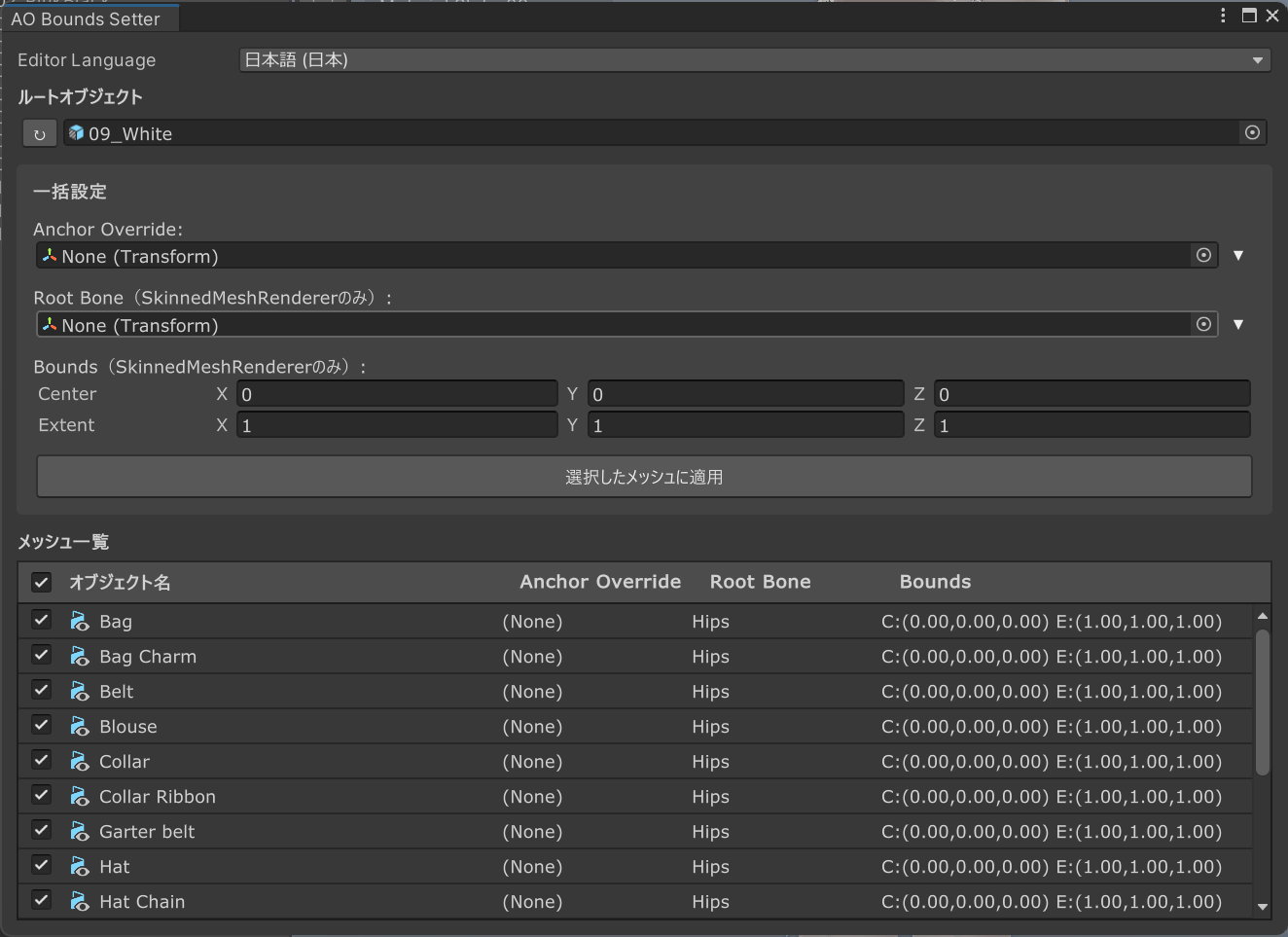
Usage
- Drag an object from the Hierarchy to the Root Object field
- Configure settings:
- Anchor Override — Set the object to use as the anchor point
- Root Bone (SkinnedMeshRenderer only) — Set the root bone for skinned meshes
- Bounds (SkinnedMeshRenderer only) — Configure bounds
- Use the dropdown search to quickly find bones/anchors under the root object
- Select target meshes with checkboxes and click Apply to Selected Meshes to batch apply
Click on an object name, Anchor Override, or Root Bone label to quickly select that object in the Hierarchy.
Access
Tools > Kanameliser Editor Plus > AO Bounds Setter